
 Newsfeed
Uninstall Prep4PDF
To uninstall all PPTools add-ins:- Start PowerPoint if it's not already running
- If you use PowerPoint 2003 or previous:
- From the main menu bar, choose View, Toolbars, Customize
- Click the Toolbars tab if it's not already visible
- For each PPTools toolbar listed, including MasterBar, click the toolbar to select it, then click Delete
- If you use PowerPoint 2007
- Click the Add-ins tab
- Rightclick the area of the PPTools toolbar you want to remove
- Click Delete custom toolbar
- Optionally, do the same with the PPTools item on the Menu Commands section of the Add-ins ribbon
- Quit PowerPoint
- Click Start, point to Settings, click Control Panel
- In Control Panel, doubleclick Add/Remove Software (or Programs and Features if you use Windows Vista)
- Locate the entry for "PPTools - Remove ALL" and click "Change/Remove"
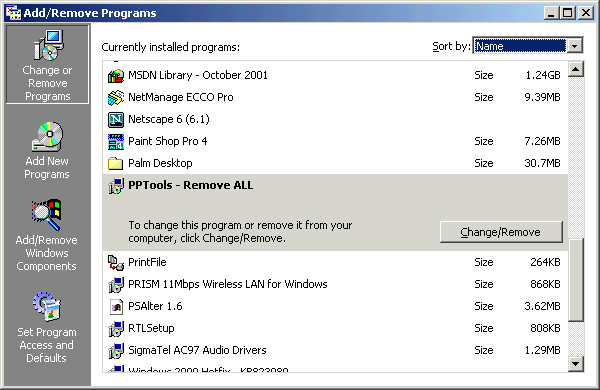
All PPTools are now uninstalled.
[Previous] [Home] [Next]